GetRating and REST API
Send review requests from your own systems and read the approved public reviews collected through GetRating, with an API key.
Plan: All plans
Who it is for
Developers who want review requests to go out after a sale, booking or job, or GetRating reviews on their own site.
What it does
- POST /api/v1/review-requests queues the location's active after-visit email or SMS campaign for one customer, now or at a time you choose. It is idempotent with an Idempotency-Key header.
- GET /api/v1/reviews returns approved public reviews for one of your locations, newest first, with pagination.
- GET /api/v1/reviews/public/{slug} returns the same list for a public slug without a key, limited to 30 requests per minute.
When it runs
- Your code calls the API, for example when a sale, booking or job is completed.
How to set it up
- Open Dashboard → Integrations and create an API key. It is shown once.
- Send it in the X-API-Key header.
- To send review requests, create an after-visit email campaign (or SMS campaign on Business) for the location, then call POST /api/v1/review-requests.
- To read reviews, call GET /api/v1/reviews with locationId, page and limit (1–100).
What it looks like in GetRating
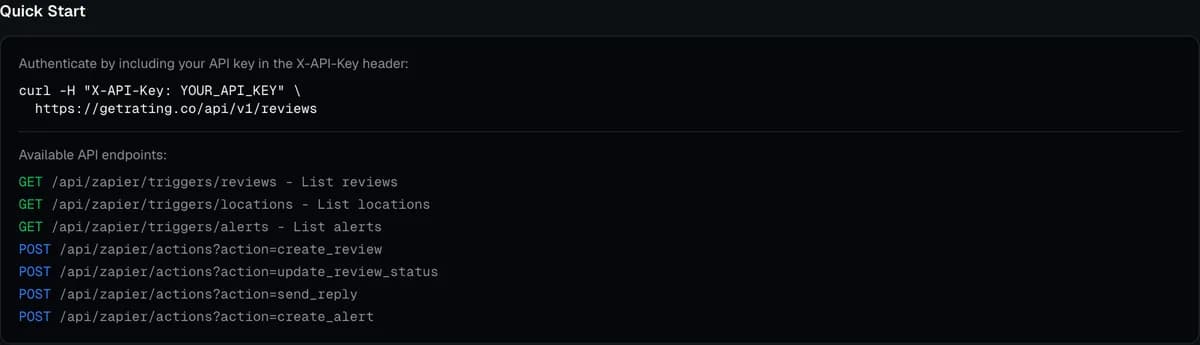
Screenshots are taken from the live GetRating dashboard, logged in to a GetRating test account that holds test data only. Captured .
Example
A hair salon's booking system calls the review-request endpoint when an appointment is checked out, so every client gets the same review request an hour later.
Limitations
- A review request uses the location's active after-visit campaign; without one, nothing is sent and the response says why.
- The same customer is asked at most once per location every 30 days. Up to 60 calls per minute per key and 1,000 review requests per location per day.
- Every customer you send gets the same request, whatever rating they might give: there is no filtering by expected rating.
- No endpoints for locations, campaigns or billing.
- Returns reviews collected in GetRating, not reviews on Google or other sites.
- No official SDKs; use any HTTP client.
Troubleshooting
- 401: the key is missing, revoked or mistyped. 403 insufficient_scope: the key was created read-only; create one with write permission.
- 202 with status skipped: the reason says what is missing, for example no_active_campaign or recently_requested.
- 429: wait for the Retry-After header before calling again.
Frequently asked questions
Does the API return my Google reviews?
No. It returns reviews collected through GetRating's own public review page.
Is the API on the Free plan?
Yes. API keys can be created on every plan.