GetRating features
GetRating is review collection software for local businesses. This page lists every feature and the plan it is on. For prices see pricing; for connections to other tools see integrations.
How it works
Every customer who scans your QR code or opens your link is asked for a review. You choose how customers are spread across review sites: by percentage (A/B mode), a site per star level (Split mode), a list of links (Links mode), or 5-star mode, where 4–5 star ratings open your public review page and 1–3 star ratings see a private feedback form together with your public review links.
Review modes: 5-star mode (rating first, then the destination you set per star), Split mode (each star goes to a public destination, no form), A/B mode (customers are spread across review sites by percentage) and Links mode (no rating, a list of review links).
On every plan, including Free
QR code and short link per location
Every location gets a printable QR code and a short review link you can put on counters, tables, receipts, emails and texts.
Rating routing per star level
Choose which public review site each star rating goes to, such as Google, Facebook or a custom URL. A private feedback form can be shown as well, always together with your public review links. Trustpilot and TripAdvisor do not allow routing by rating, so they are offered in A/B and Links modes only.
Split mode
Send each star rating to a public destination of your choice without showing a feedback form.
Links mode
Show every customer the same list of review links instead of routing by rating.
A/B split mode
Split customers between review destinations by percentage to spread reviews across sites.
Private feedback form with email alerts
Customers can send feedback straight to your team, optionally with an email or phone number, and you get an email alert.
Review pages in 49 languages
The customer-facing rating page is translated into 49 languages and detects the visitor's browser language.
Embeddable review widget and public review page
Show approved reviews collected through GetRating on your website or on an opt-in public review page.
Webhooks, Slack alerts, REST API and Zapier endpoints
Send events to your own systems, post alerts to Slack and read reviews with an API key.
Growth (€49/month) and Business
Unlimited locations and reviews
No cap on locations or monthly reviews. The Free plan covers 1 location and 15 reviews a month.
Email review campaigns
Send follow-up emails to customers who left their email address when they rated you, after a delay or on a date you choose, and to customers your own systems send through the review-request API.
Custom branding
Use your logo and brand colour on review pages.
Google rating tracking
Track your Google rating over time: weekly on Growth, daily on Business.
Team seats
Growth includes 3 seats (up to 10 extra at €10/month each); Business includes 5 seats (extra seats €8/month each).
Business (€99/month)
SMS review campaigns
Send follow-up text messages to customers who left their phone number when they rated you, using prepaid SMS credits.
Google reviews in your dashboard
Connect your Google listing to see its latest reviews in GetRating (read-only, the most recent ones Google shares). Replying from GetRating, and Facebook and Trustpilot connections, are not available yet.
Competitor tracking
Track the Google rating of up to 3 competitors.
Reply to private feedback
Answer customers who left private feedback, from the dashboard.
What it looks like
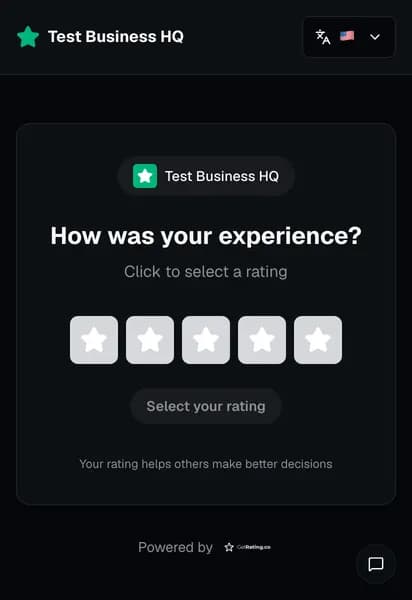
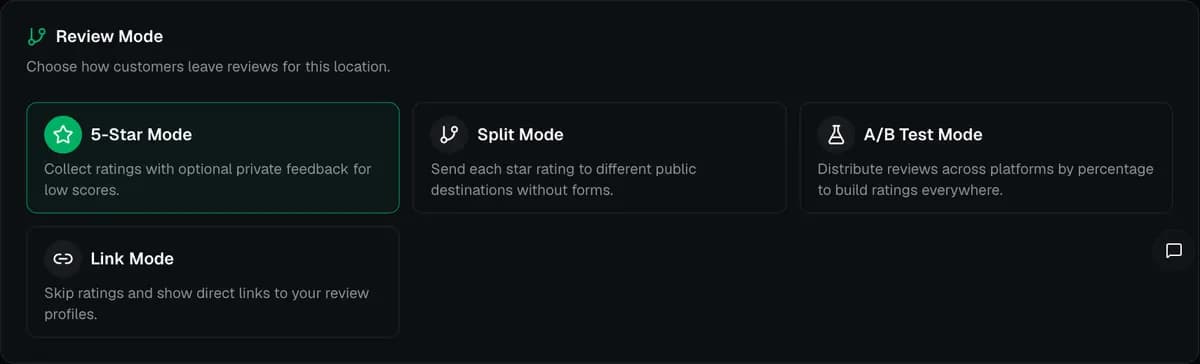
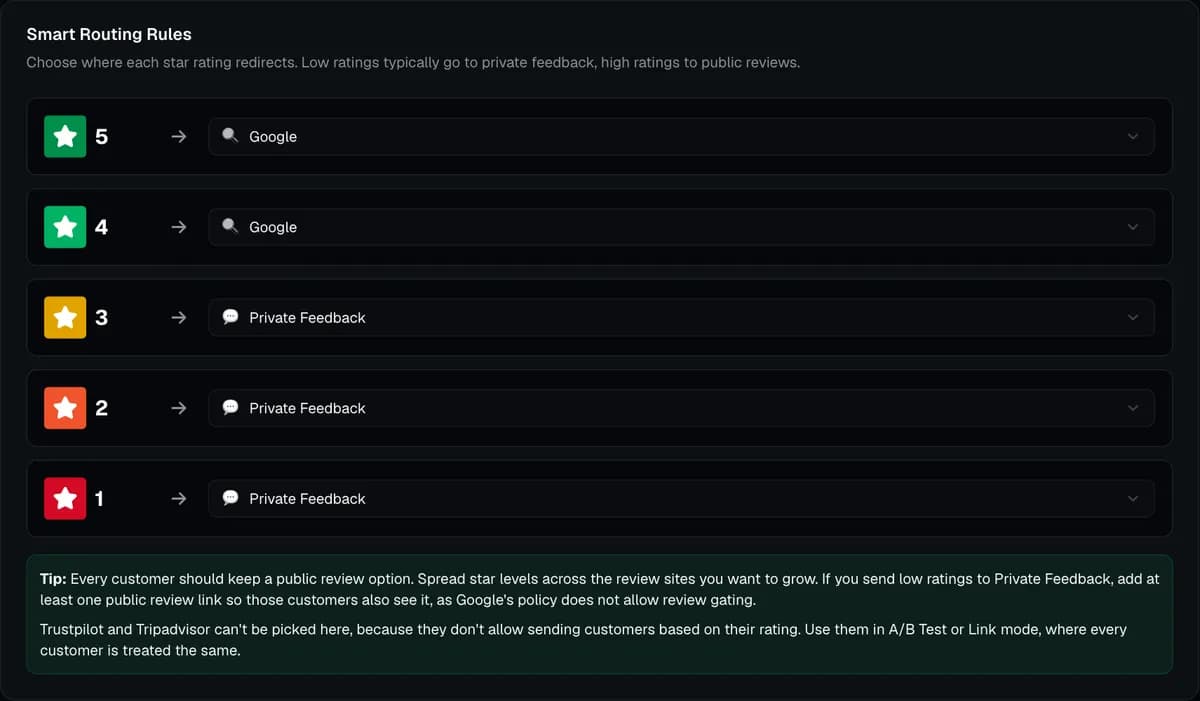
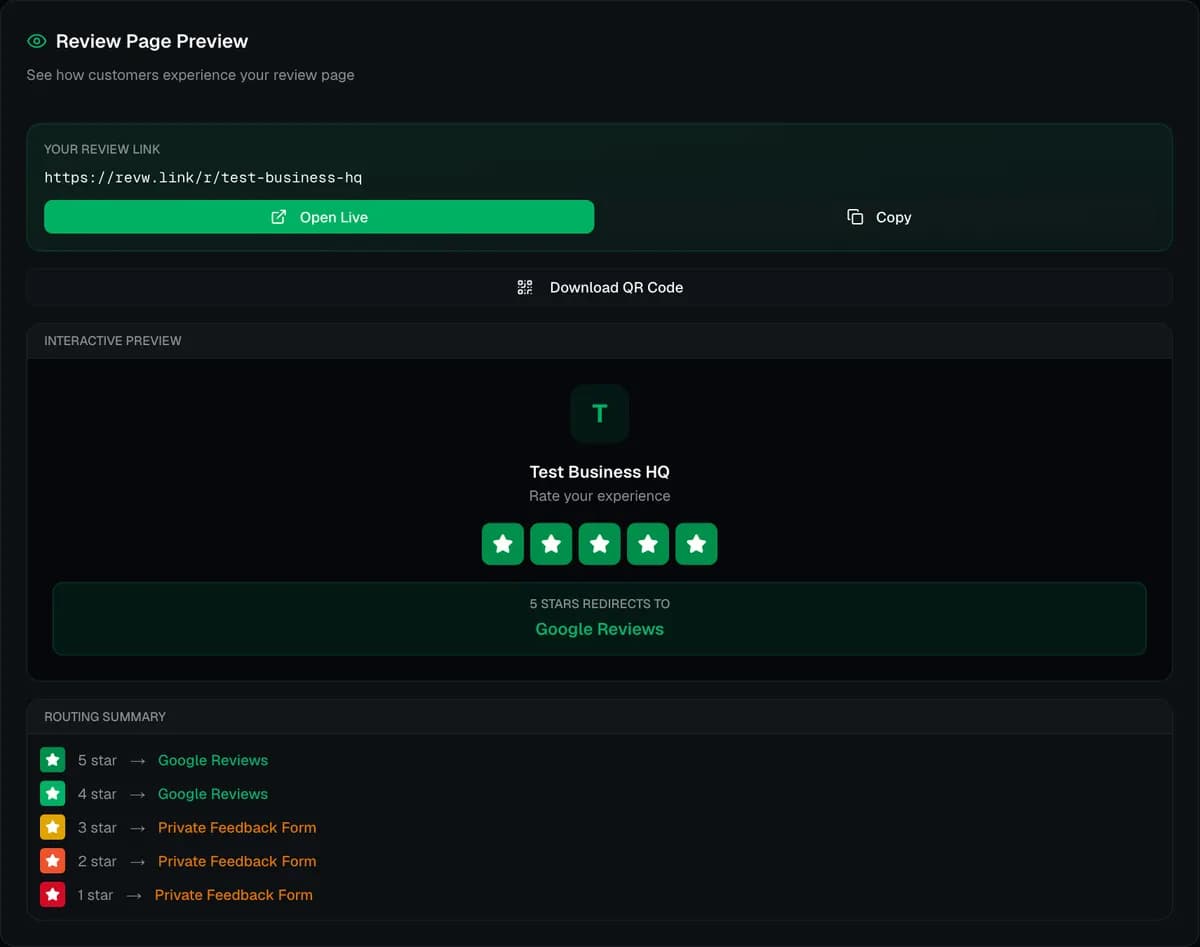
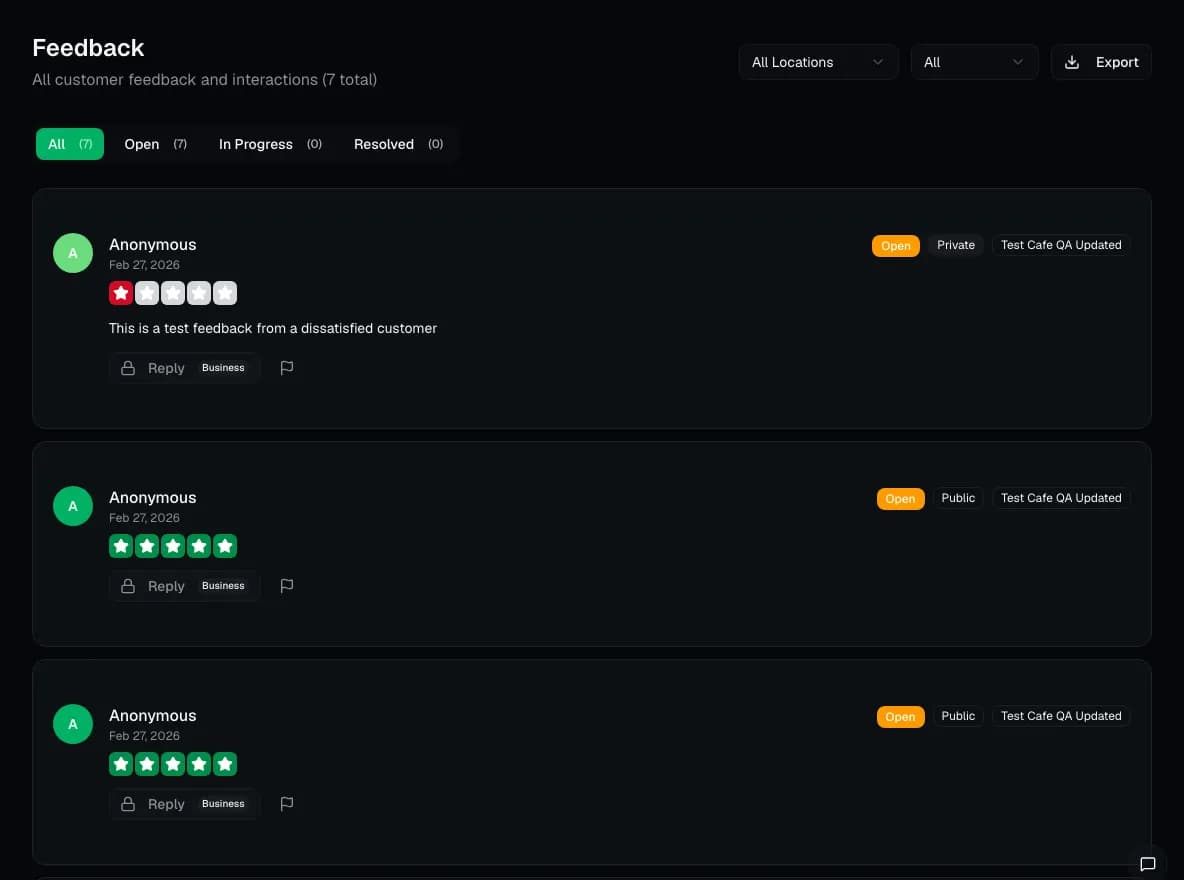
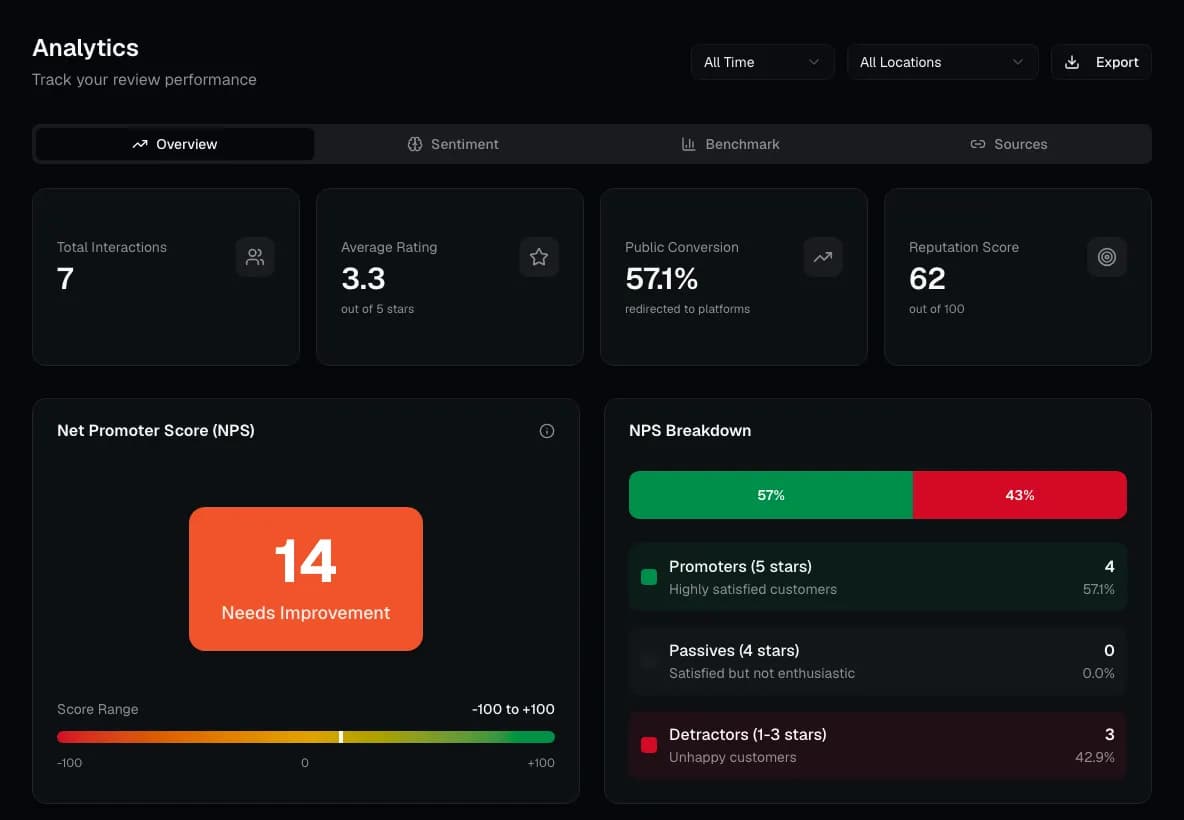
Screenshots are taken from the live GetRating dashboard, logged in to a GetRating test account that holds test data only. Captured .
What GetRating does not do
- The Free plan covers 1 location, 15 reviews per month and 1 user.
- GetRating does not create, edit or remove reviews on Google or any other site, and it cannot stop a customer from posting a public review.
- In 5-star mode, customers who pick 1–3 stars see the private feedback form together with your public review links. If a location has no public review link set up, they only see the form, so add at least one review link.
- SMS campaigns, the read-only Google reviews view and competitor tracking (up to 3 competitors) are Business-plan features.
- GetRating cannot reply to Google, Facebook or Trustpilot reviews yet, and Facebook and Trustpilot accounts cannot be connected yet. Reply on the review site itself.
- Google rating tracking runs weekly on Growth and daily on Business.
- There is no native mobile app. The dashboard is a web app, and customers use the review page in their phone's browser.
- GetRating is built for businesses with physical locations or local service areas. It is not a product-review tool for large e-commerce catalogues.
Frequently asked questions
What does GetRating do?
GetRating gives each business location a QR code and a short link. Customers tap a star rating and are sent to the review site or private feedback form you set for that rating, or see a list of review links in Links mode.
Which features are on the Free plan?
The Free plan includes the QR code, short link, every review mode, the private feedback form, the review widget, webhooks and the API, for 1 location, 15 reviews a month and 1 user.
Does GetRating need an app?
No. Customers use the review page in their phone's browser, and you manage everything in a web dashboard. There is no native mobile app.
Does GetRating follow Google's review policy?
Yes, when used as designed. Google's policy forbids review gating: asking only customers who had a positive experience for a review, or discouraging negative reviews. GetRating asks every customer, and every customer is offered your public review links. Its routing spreads customers across review sites, for example a 50/50 split between Google and Trustpilot or a different site per star level, so you build reviews in more than one place. In 5-star mode, customers who pick 1–3 stars also see a private feedback form, but always together with your public review links, never instead of them. GetRating never creates, edits or removes reviews on any platform.